Calendar-first ledger
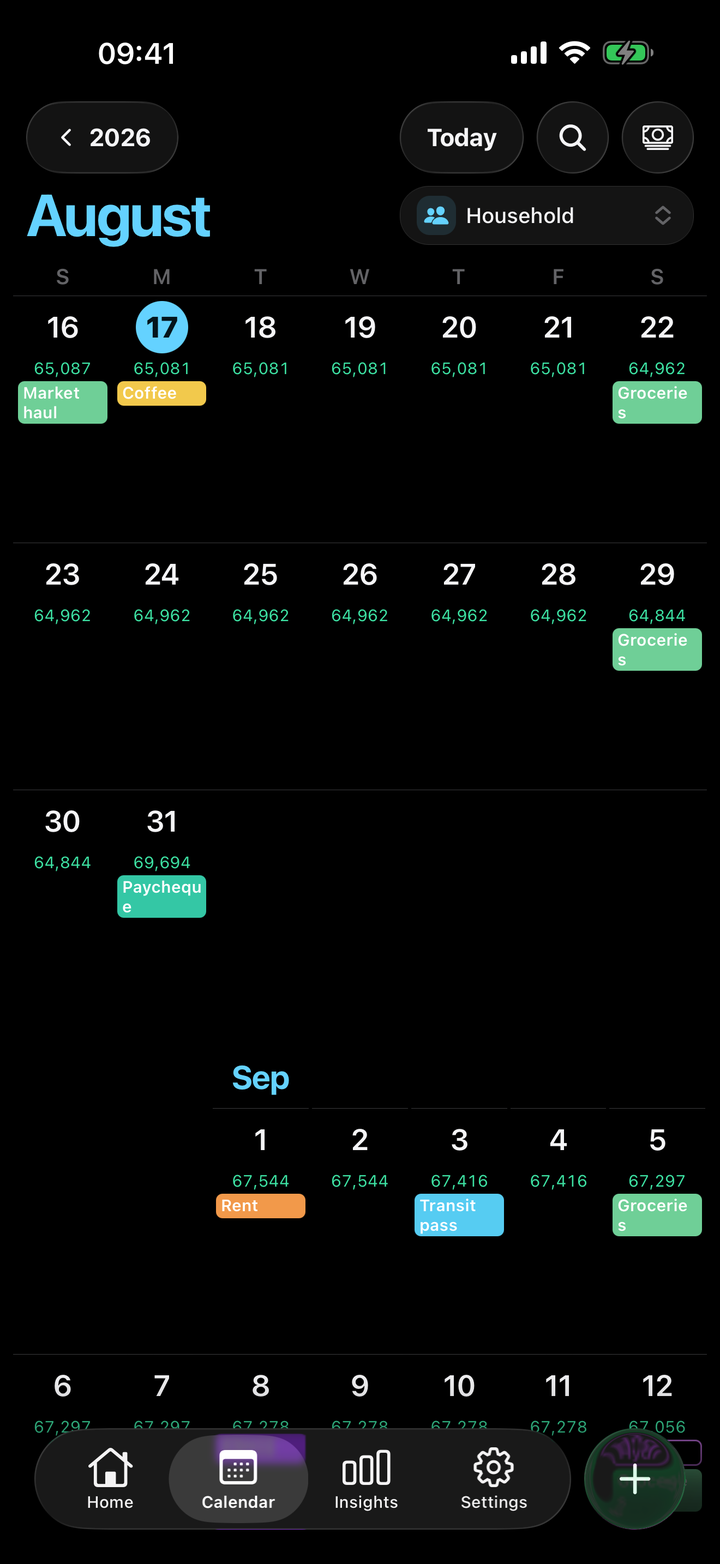
Past, pending, and planned money sit on the day they hit — not in a monthly dump.
Cash-flow on a calendar
Daylance puts income, spending, and transfers on a daily timeline, then forecasts what every account will hold. Plans stay plans until you confirm them. Share a space without mixing the ledgers.
Free to start with one space. Daylance Pro unlocks unlimited spaces and members.
How to use it
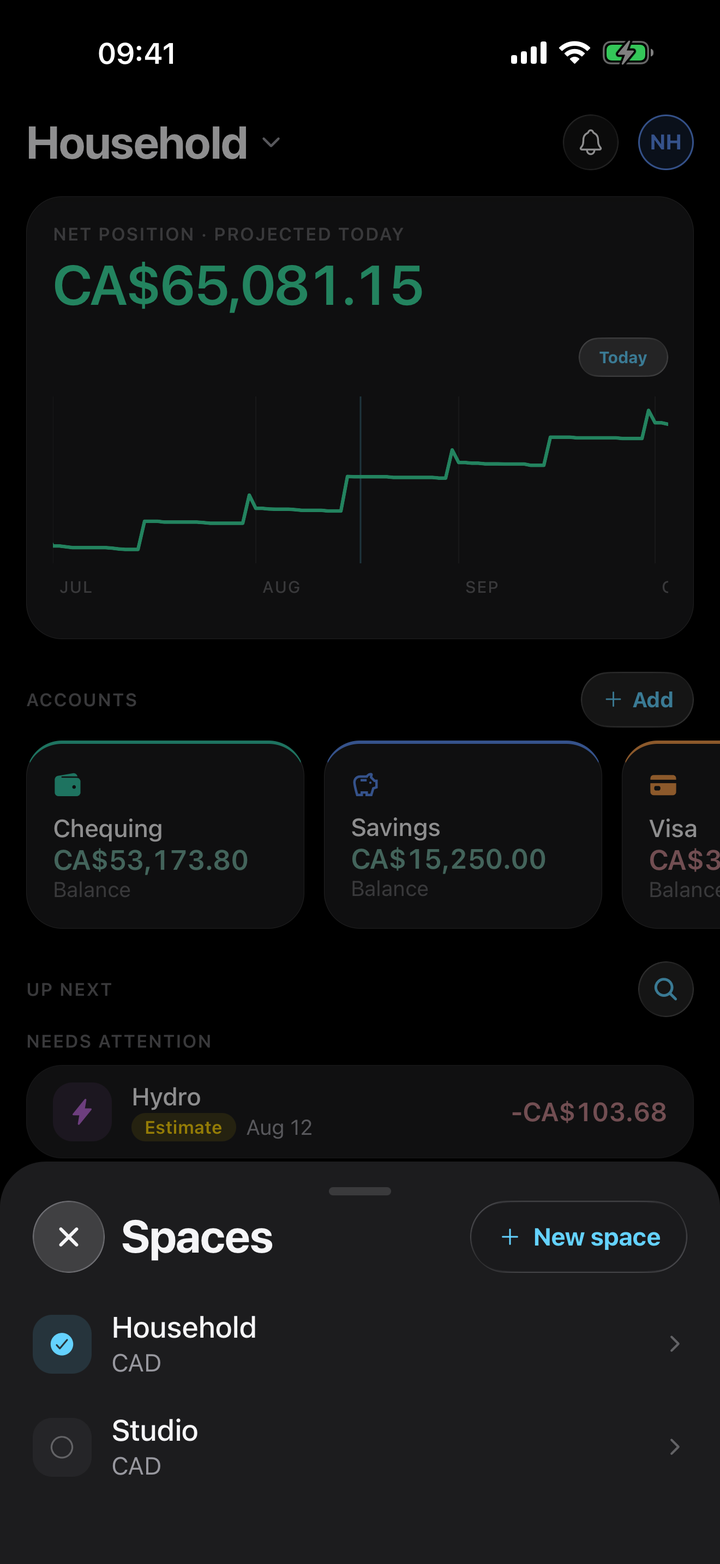
A space is your ledger. Give it a name and a base currency. Keep Household and Studio in separate spaces so the numbers never mix.
Chequing, savings, cash, credit — each account is an asset or a liability with an opening balance. Safe thresholds warn you before a day goes red.
Tap + and record income, spending, or a transfer. Transfers move money between accounts. They are never counted as income or spending.
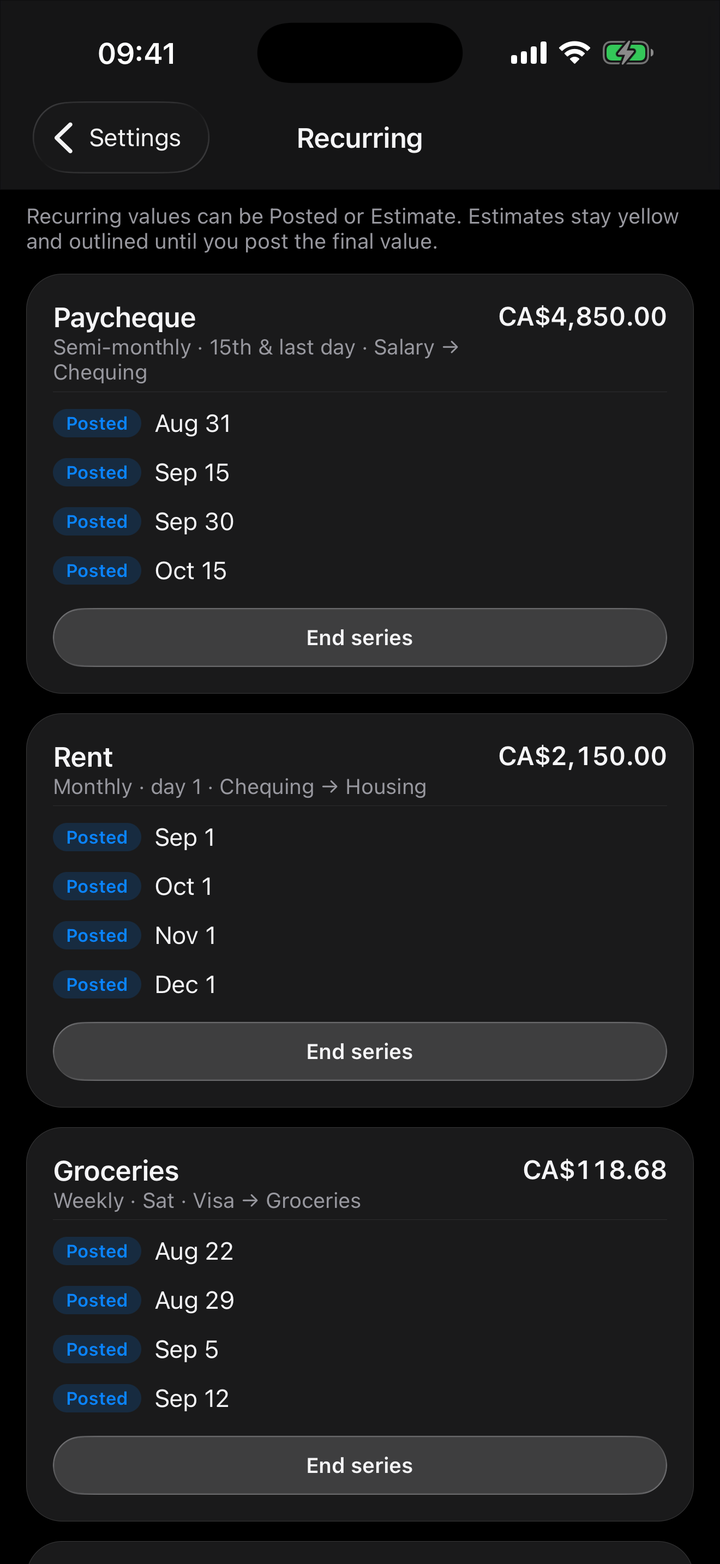
Rent, paycheques, and subscriptions live as recurring plans. Occurrences stay estimated until you confirm or skip them. A plan is not a payment.
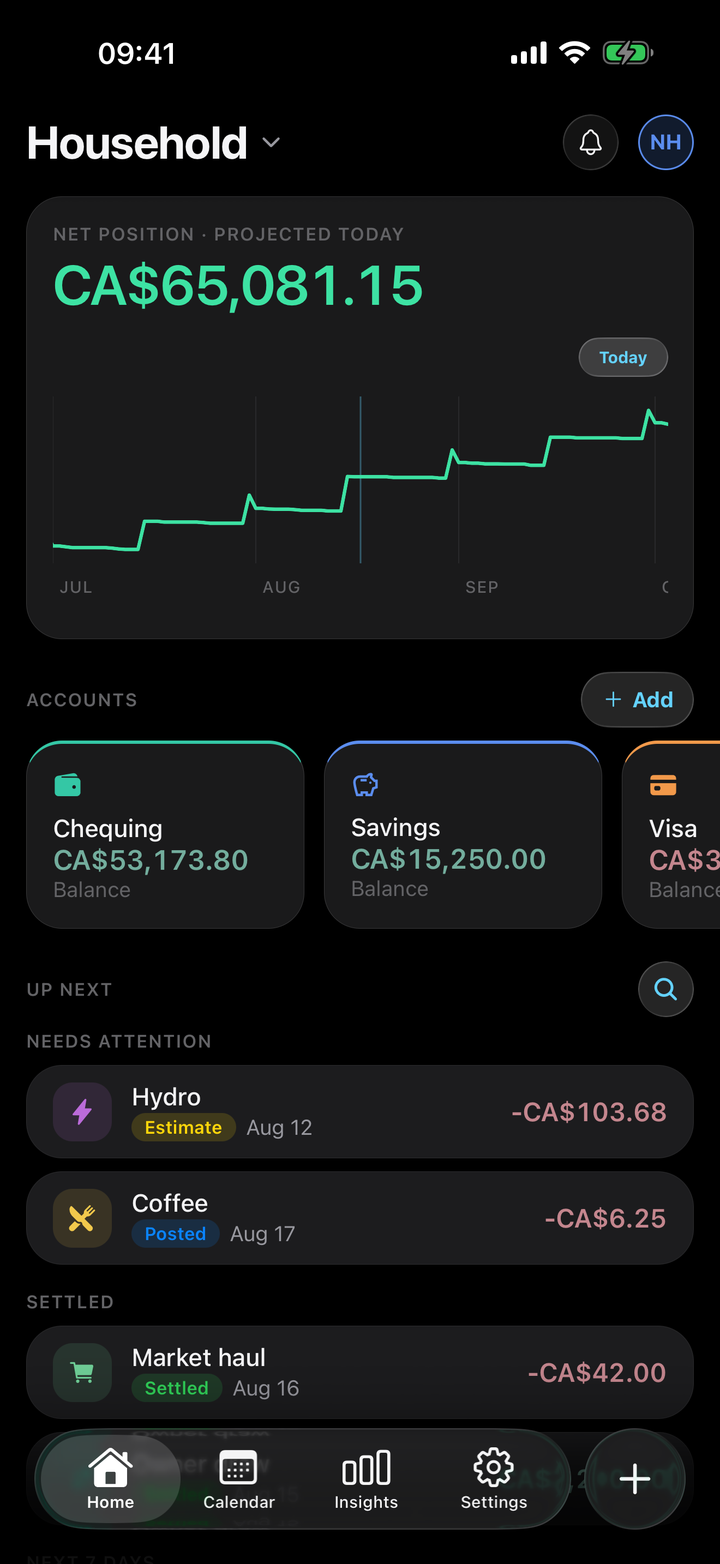
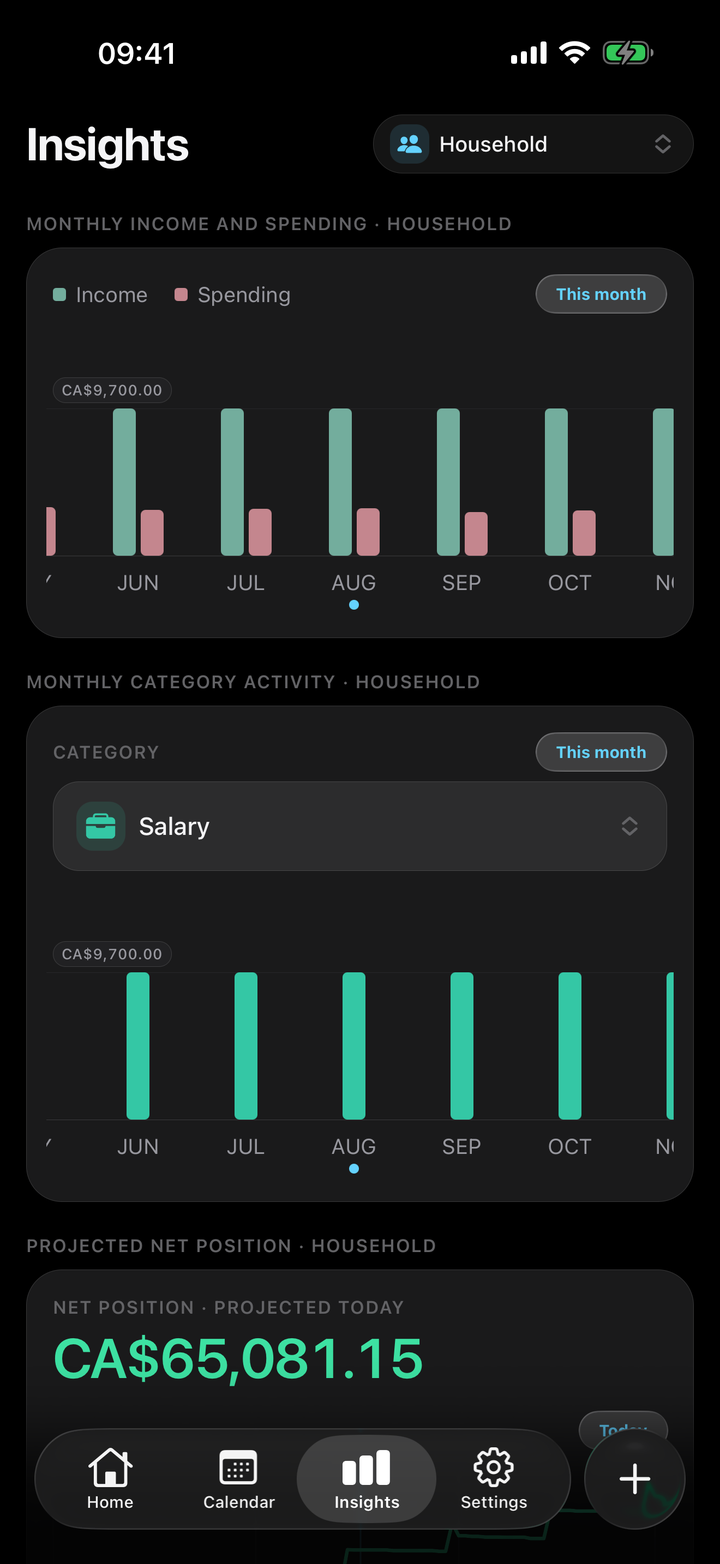
Home shows net position and the next 90 days. Calendar puts every dollar on its day. Insights totals the month you actually lived.
Invite members by email, add split-only participants, and set balance policies. Roles cap what each person can see and change.
See it in action

Everything it does
Past, pending, and planned money sit on the day they hit — not in a monthly dump.
Every total drills back to the entries and assumptions behind it. No unexplained magic numbers.
Moving money between accounts never inflates income or spending. The books stay honest.
Recurring bills wait as estimates. Overdue plans never silently become facts.
Invite members, split balances, and keep visibility inside the role you chose.
Optional reminders for upcoming entries and a digest of what hits next — on your schedule.
You enter the money. Daylance does not connect to banks or move funds.
Free includes one space and no added members. Pro unlocks unlimited spaces and people.
Your ledger stays yours. We do not sell it, and we do not need a bank password to run the app.
Questions
A space is a shared ledger: accounts, categories, entries, and the people in it. You can keep more than one space — for example a household and a studio — and switch without mixing the numbers.
No. Daylance is a manual cash-flow planner. You log entries and opening balances yourself. It does not initiate payments or sync institution feeds.
A transfer moves money between your accounts. It can change an account balance without changing net worth, and it never counts as income or spending. Insights keep those lenses separate on purpose.
Recurring rules generate scheduled occurrences. They stay estimated until you confirm or skip them. Confirming posts the entry. Skipping leaves the forecast without pretending the money moved.
Free includes one space and no added members. Daylance Pro is an auto-renewing subscription through the App Store that unlocks unlimited spaces and members. Pricing is shown in the app before you subscribe.
Yes. Sign in with Apple, Google, or email so your spaces can sync and, if you choose, be shared with members you invite.
Only people you invite as members, plus any split-only participants you add for balances. Roles cap what members can view and edit. Sharing is never implied by an ownership label alone.
No. Forecasts are projections from the entries you log, not facts and not advice. Daylance is not a bank, broker, or tax product.
Your ledger lives in your account. Members of a space see what their role allows. We do not sell personal information. You can delete your account and data in the app. Sign-in stops immediately, and we remove the account and data after 30 days. You can also contact us from Contact. Read the full privacy policy.
Download Daylance, add an account, and put the next payday on the calendar.